
Data formats
How to Base64 encode and decode on a Mac
What Base64 is, how it differs from Base64URL, and the Terminal commands that encode and decode it on macOS without surprises.
5 min read
Developer tools for the Mac
JSON, JWT, Base64, URL, Unix time, UUID and hashes in one native window, instead of ten browser tabs. It works offline, opens the right tool for what you copied, and has AI beside every tool.
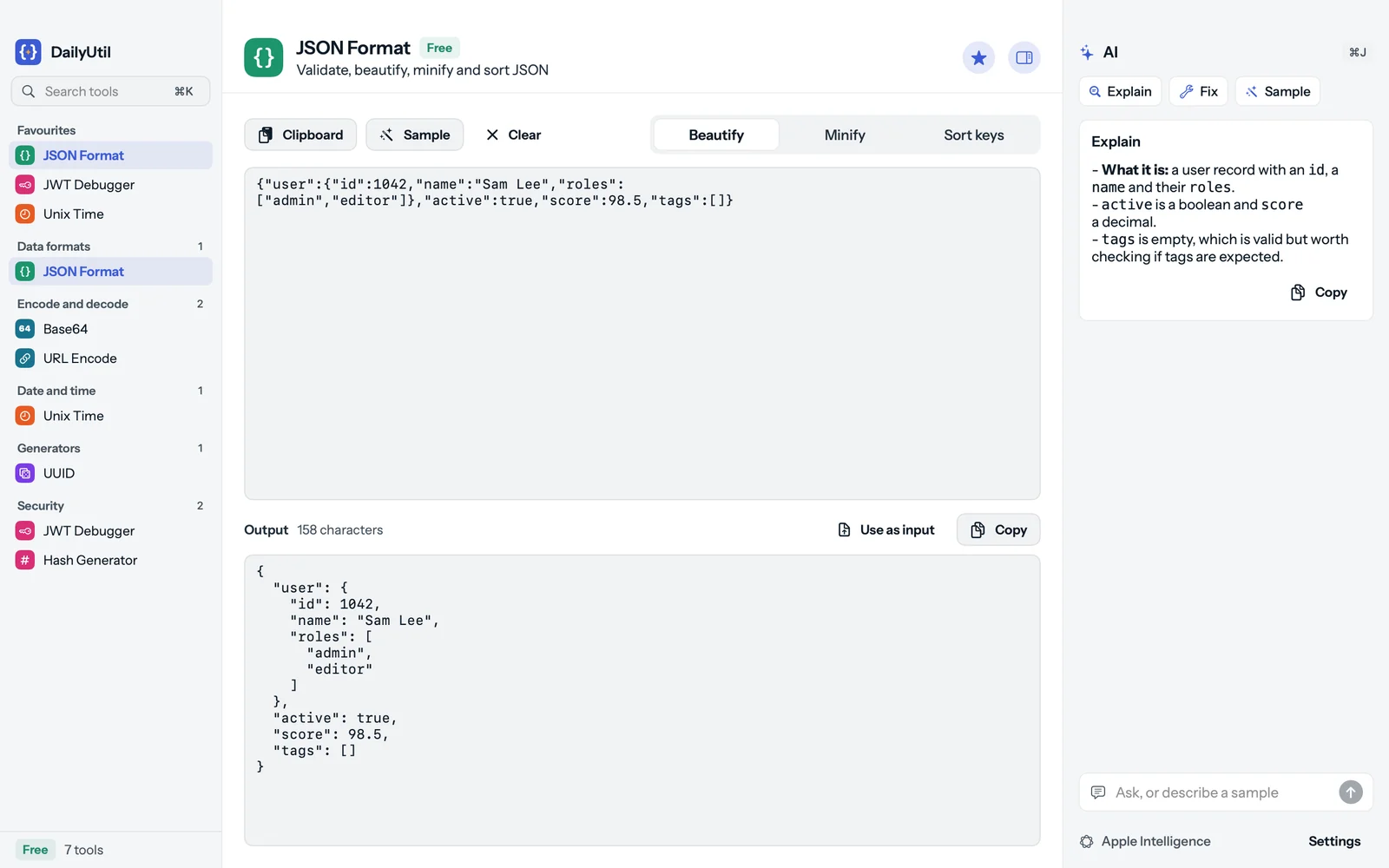
{
  "user": {
    "id": 1042,
    "name": "Sam Lee",
    "roles": [
      "admin",
      "editor"
    ]
  },
  "active": true,
  "score": 98.5,
  "tags": []
}Try it: paste a JWT, a timestamp or some JSON. The matching tool opens.
The toolbox
Version 0.1.1 has the seven tools developers reach for most. Text Diff is next, then the Pro tools, in free updates.
Validate, beautify, minify and sort JSON. Errors name the line and column.
freeExplain, Fix, Sample, Ask
Encode text to Base64 and decode it back.
freeExplain
Percent-encode and decode text for URLs.
freeExplain
Decode a JSON Web Token: header, payload, algorithm, and its dates checked.
freeExplain, Spot problems
MD5, SHA-1 and the SHA-2 family of any text.
free
Timestamps in seconds or milliseconds to dates, in UTC and your time zone.
freeExplain
Generate UUID v4 and v7, and decode one you paste.
free
Compare two texts and see what changed.
freeSummarise the change
And 14 Pro tools on the list: RegExp, Cron, YAML, DNS, an HTTP request builder, the Debug Assistant and more.
Why an app
Open DailyUtil and the clipboard is read once, on your Mac: a timestamp opens Unix Time, a token opens the JWT Debugger, JSON opens JSON Format.
Search every tool with ⌘K, open the AI panel with ⌘J. Clipboard, Sample, Clear and Copy are one press away.
Every tool runs on your Mac. No upload, no server round trip, no account. It works on a plane.
Written in Swift for the Mac, in light and dark. Version 0.1 is under a 2 MB download.
AI on every tool
Every tool has an AI panel. It runs on Apple Intelligence, right on your Mac, or on your own key. Before anything goes to a cloud provider, DailyUtil scans it for API keys, tokens and passwords and masks them.
What the data in the tool means: a JWT's claims, a JSON document, a timestamp.
Repairs invalid input and says what changed. It replaces your input only when you press Replace, with Undo.
Describe the data you need, "a user with three orders", and get it in the tool.
A free question about what is in the tool, answered beside it.
You pasted
POST /v1/deploy 401 UnauthorizedOPENAI_API_KEY=sk-proj-8fQ2vX9mLr4Tdb: postgres://app:hunter2@db:5432Authorization: Bearer eyJhbGciOi.eyJzdWIi.sigaws: AKIAIOSFODNN7EXAMPLE
Mask and send sends
POST /v1/deploy 401 UnauthorizedOPENAI_API_KEY=[OPENAI KEY 1]db: postgres://app:[PASSWORD 1]@db:5432Authorization: Bearer [JWT 1]aws: [AWS KEY 1]
Privacy
Developers paste tokens, logs and .env files all day. DailyUtil was built so none of it goes anywhere you did not send it.
Formatting, decoding and hashing happen locally. What you paste is never uploaded.
Keys, tokens and passwords are found and masked before a cloud AI request leaves the Mac.
Your licence key and AI keys live in the macOS Keychain and nowhere else.
A plan is a licence key, not a login. We run no server that sees your input.
Pricing
No trial clock: the free tools are free for good. Pro adds every other tool as it ships, on 2 Macs, with a 30-day refund.
$0for good
Eight tools with AI, no time limit and no account.
JSON, Base64, URL, JWT, Hash, Unix time, UUID and Text Diff. Every tool in version 0.1 is free.
Download free$14.90per year
Every tool and every update while the plan is active.
On 2 Macs. Renews each year; cancel any time and keep the free tools.
Buy Pro YearlyLaunch price
$29once
Pay once. Every tool and every update, for life.
On 2 Macs. Launch price for the first 100 buyers, then $39.
Buy Pro LifetimeGuides
JWTs, JSON errors, Base64, timestamps and checksums, explained without the fluff.
Data formats
What Base64 is, how it differs from Base64URL, and the Terminal commands that encode and decode it on macOS without surprises.
5 min read
Data formats
Seconds or milliseconds, UTC or local time: how to turn a Unix timestamp into a real date on a Mac, on Linux and in JavaScript.
5 min read
Tokens and security
Read the header and payload of a JWT offline, make sense of exp, iat and nbf, and know what decoding does not prove.
5 min read
Questions
A native Mac app with the small developer tools you reach for every day: JSON, JWT, Base64, URL encoding, Unix time, UUIDs and hashes, in one window with search and keyboard shortcuts. It works offline, and every tool has AI help through Apple Intelligence or your own key.
No, not from the tools. Formatting, decoding and hashing all happen on your Mac. Text leaves only when you press an AI button with a cloud key, and then it goes straight to your provider after the secret scan.
Eight tools, free for good with no time limit: JSON, Base64, URL, Unix time, UUID, JWT, Text Diff and Hash, with AI on each through your own setup. Every tool in version 0.1 is free.
Apple Intelligence on your Mac, or your own key for Claude, OpenAI, Gemini or Grok, or any OpenAI-compatible server such as Ollama or LM Studio. You pick in Settings, AI.
Before anything goes to a cloud AI provider, DailyUtil looks for API keys, private keys, tokens, JWTs and passwords in the text. If it finds any, it shows what and where, and offers to mask them, use Apple Intelligence instead, or send as is.
2 Macs, for a work Mac and a home Mac. In Settings, on the Plan page, you can deactivate a Mac to move your licence to another one.
Get DailyUtil
Free for eight tools, with no time limit and no account. Needs macOS 14 or later on Apple Silicon and Intel.